With DistroKid, you can send your music to Facebook and Instagram, so that your work is available for fans to use in Stories and Reels!
When you have your music on Facebook and Instagram, you can also make sure that your own Facebook/Instagram profiles are linked to your music there, so that fans can find your artist profile there.
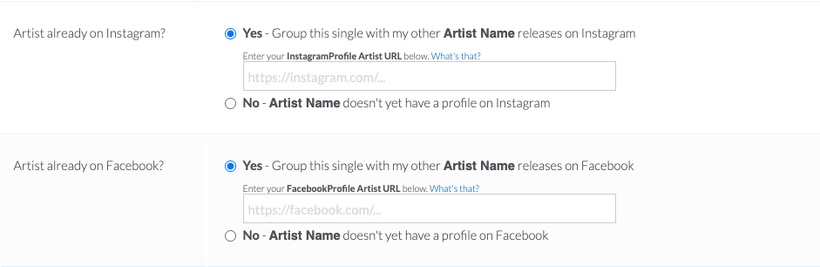
To link your Facebook and Instagram profiles, you can enter your Facebook and Instagram URL's on the upload form when uploading your release:
How do I get my Facebook and Instagram URL's?
For Instagram, your profile URL is https://instagram.com/YOURINSTAGRAMHANDLE
If your handle on Instagram is @Artistname, your Instagram URL would be:
https://instagram.com/Artistname
For Facebook, your url is https://facebook.com/YOURUSERNAME
Within Facebook, you can retrieve and/or edit your Username for your artist page by clicking on your profile icon in the top right, clicking on "Settings and Privacy", then clicking "Settings". Here, you'll be on the General Page Settings tab, which allows you to retrieve or edit your existing Facebook URL for your Facebook Artist profile.